Cookie Finance's
AI Assisted Ledger
COOKIE FINANCE — MAY 2026

My Role
Lead UX/Product Designer — Research, User Flows, Visual Design, Prototyping, QA
Tools
Figma, Figjam, VS Code, Jira, Github, Claude Code, Codex
Team
1 UX Designer
4 Developers
Management — CTO, CEO, VP of Product
Duration & Status
3 Months, Shipped in May 2026
Industry
Internal tools, Fintech, AI, Complex Workflows
Context
Cookie Finance provides bookkeeping and tax services for content creators, and each bookkeeper managed 100 to 200+ clients with thousands of transactions each. Their QuickBooks workflow was slow and often broke, so leadership wanted an in-house ledger powered by AI, shipped in 3 months. The catch: bookkeepers didn't trust AI and would rather do the work by hand.
How I added value
As the lead designer, I turned leadership's push for AI into a ledger bookkeepers would actually use. I designed confidence-based AI routing and AI vs. human icons so bookkeepers could always check AI's work, designed around technology constraints, and stayed on through production, leading QA and pushing fixes myself.
0.1
COOKIE AI LEDGER WALKTHROUGH
VIDEO
0.2
AUDIT TRAIL
VIDEO
0.3
Recategorizing in Bulk
VIDEO
Bookkeepers were buried in transactions
Each bookkeeper managed 100 to 200+ clients, and each client could have 1,000 to 10,000+ transactions. Multiply that across a portfolio, and bookkeepers were practically buried (Figure 1.0).

QuickBooks was slowing them down
Most of their work happened in QuickBooks, but it often made the job harder. It could take minutes to load, disconnect bank accounts, and force bookkeepers to redo work they'd already finished (Figure 1.1).

Slow cleanup held up everything else
Every new client starts with a cleanup of their past transactions, and nothing else can start until it's done: not monthly bookkeeping, payroll, LLC setup, or taxes (Figure 1.2). As we scaled, transaction cleanups that should take weeks could stretch into months, leaving clients paying for services they couldn't use yet.

Build our own ledger, with AI inside
Leadership saw a way out: replace QuickBooks with our own ledger and use AI to categorize transactions. If AI could handle even 10% of the work, cleanups would move faster and each bookkeeper could take on more clients.
2.0
MESSAGE FROM CEO
VIDEO
Not so pretty constraints…
It was a smart bet, but a big one. The ledger is where bookkeepers do their work every day, and we had to build it within two major constraints:


Bookkeepers didn't trust AI
On top of those constraints, the people we were building for didn't trust what we were building. In my interviews, 4 out of 5 bookkeepers said they'd rather do the work by hand than redo AI's work. Their biggest fear: if AI got it wrong and they couldn't catch it, it would mean even more work (Figure 3.0).

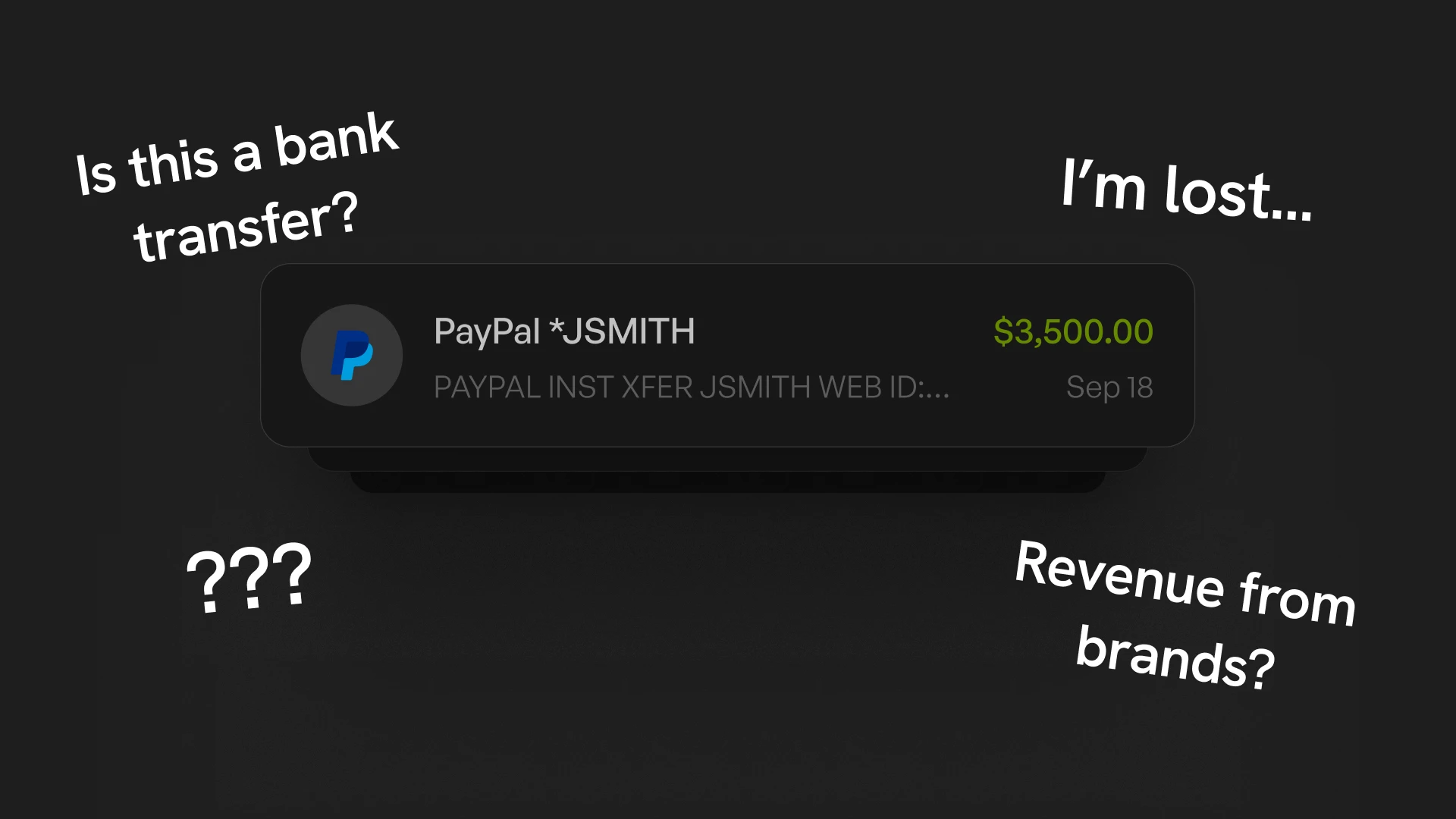
And for good reason — Transactions can be complicated
Categorization isn't as simple as it looks. Many transactions come in ambiguous, so bookkeepers categorized them using their own research and knowledge of each client. That was context AI couldn't easily see (Figure 3.1).
My guiding principles
What I learned shaped two principles that guided every decision:


Mapping how a transaction moves today
Before placing AI anywhere, I mapped how a transaction moves through cleanup today. Bookkeepers clean up a client's past transactions, and anything uncertain goes to Ask My Client (AMC) for more context. It then gets recategorized and finally lands in Categorized (Figure 4.0).

Placing AI where people can check it
I placed AI inside that same flow based on confidence, so it never skips a human review. Low-confidence transactions surface at the start of cleanup, so bookkeepers catch them early. High-confidence ones (70%+) go straight to Categorized, where they can still be reviewed and corrected (Figure 4.1)

Making room for the table
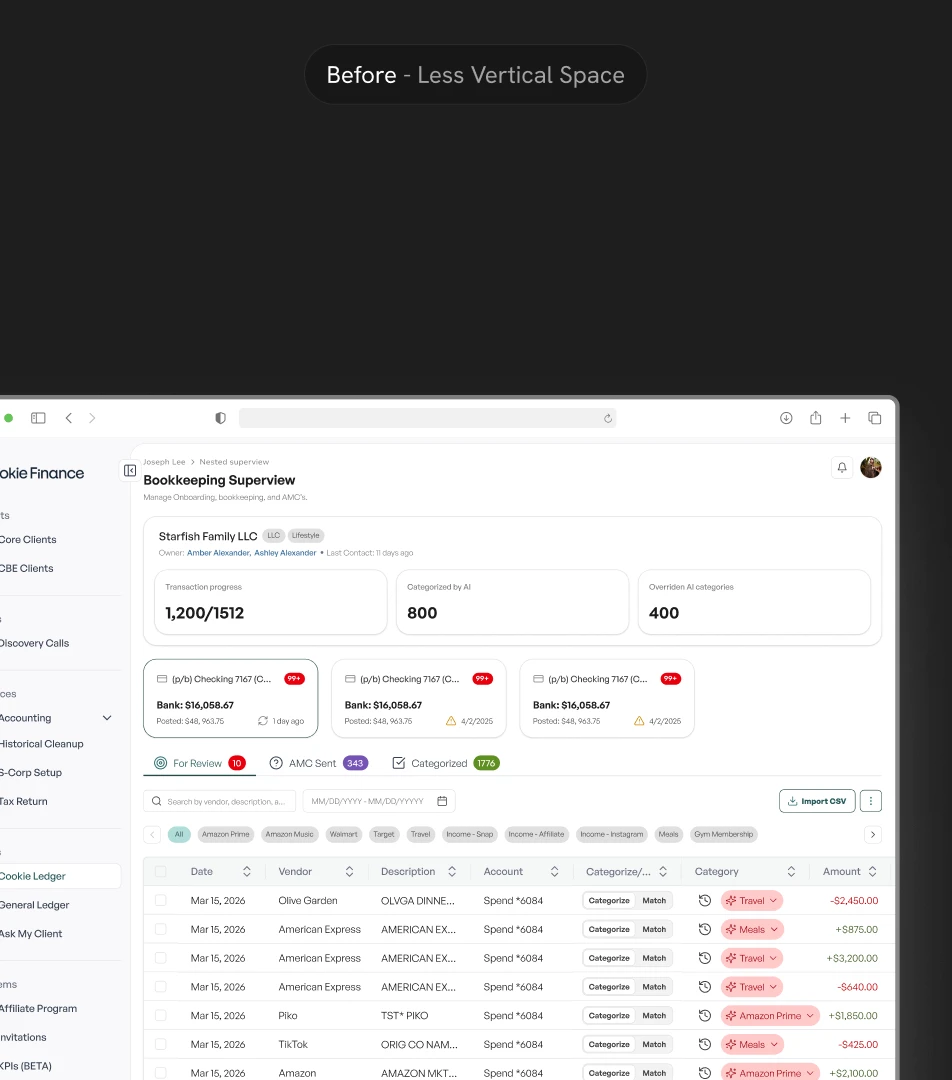
My first layout added widgets above the transaction table (Figure 5.0). When I presented it to engineering and bookkeepers, they pushed back.
They didn't see much value in the widgets, and the widgets pushed the table further down the screen, where bookkeepers do most of their work. Many of them also worked from their laptops at home, so vertical space was too valuable to give up.
In Layout B, I cut everything that wasn't essential, so bookkeepers could keep as much of the table on screen as possible (Figure 5.1).


Tabs that mirror the workflow
Next, I turned the bookkeepers' cleanup flow into tabs: For Review, AMC Sent, and Categorized. Each tab is one stage of cleanup, so bookkeepers always know where a transaction stands and how far along they are with each client (Figure 5.2). It also lets them work through thousands of transactions one stage at a time, instead of everything at once.
The only tab I added beyond their usual flow was Pending. Engineering asked for it to catch transactions the AI missed, so they could use them to improve the AI over time.

Showing AI's work
To build more trust in the AI, I designed an AI icon on each transaction, with a hover popover explaining why the AI chose that category (Figure 5.3). I was worried the AI could pick the right category for the wrong reason. Showing its reasoning would let both bookkeepers and engineering catch that, so we could train the AI to be more accurate.
However, when I presented this to engineering, they couldn't support AI reasoning yet. So I kept it simple: I scrapped the popover and kept the AI and human icons on every transaction. This way, bookkeepers could still spot AI's work at a glance and correct it if it was wrong. I'd still like to bring reasoning on hover back as a future goal (Figure 5.4).


An audit trail on every transaction
Bookkeepers and engineering both asked for a way to see who last touched each transaction. Engineering wanted to track how accurate the AI was over time (Figure 5.5).
For bookkeepers, it was about transparency. Client accounts get handed off between a lot of people at the company, so a clear history kept everyone accountable. They wanted the same accountability for AI, since they didn't trust it yet. If the history showed people correcting the AI less and less, that would give them a reason to trust it more.

Bulk actions for bulk volume
During research and design reviews, bookkeepers made one thing clear: they needed bulk actions to handle thousands of transactions. Without them, the ledger simply wouldn't work at their scale.
I designed bulk tools to confirm, recategorize, and reassign vendors, plus a custom bulk splitting tool they'd asked for many times (Figure 5.6). Bookkeepers could keep working at the volume they were used to, and if the AI got a batch wrong, they could undo it in bulk too.

Bringing Ask My Client into the ledger
When bookkeepers couldn't tell what a transaction was for, they had to ask the client. In their old flow, they copied transactions from QuickBooks into a spreadsheet, emailed it to the client through Gmail, and waited for a reply. Once the reply came back, they had to go back into QuickBooks to update everything. It was complicated, and with up to 200 clients each, those spreadsheets were easy to lose track of.
Instead, I designed an AMC Sent tab right into the ledger. Now the whole process, from asking the client to getting their answer, happens in one place, with no switching between tools (Figure 5.7).

Staying with it through QA
After handoff, I led design QA with bookkeepers to make sure every flow worked the way we designed it. I pushed small UI and logic fixes myself, and worked through bigger architectural issues on calls with developers
After many rounds of iteration with bookkeepers and engineering, here's the ledger we shipped.
6.0
AI LEDGER WALKTHROUGH
VIDEO
6.1
AUDIT TRAIL
VIDEO
6.2
Bulk recategorization Recording
VIDEO


